産業用IP電話SIPホットスポットの紹介

はじめに

概要

SIPホットスポットは、設定が容易でシンプルかつ実用的な機能です。グループ着信鳴動を実現し、利用可能なSIPアカウント数を拡張します。

電話AをSIPホットスポットサーバー、その他の電話(B、C)をSIPホットスポットクライアントとして設定します。電話Aに着信があると、A・B・Cが同時に鳴動します。いずれかの端末が応答すると、その他の端末の鳴動は停止し、同時応答には対応していません。BまたはCから発信する際は、電話Aに登録されたSIP番号を使用します。

GP210iはミニPBXとして動作し、Fanvil製のその他機器(BHP-SOS10など)と連携し、内線機器の遠隔再起動やファームウェアアップグレードを含む管理を行えます。

対応機種

本機能はファームウェアバージョンV25以降でサポートされています。対応電話機種は以下の通りです。

  1. BXシリーズ電話機

  2. BHシリーズ電話機

  3. 産業用シリーズ電話機

機能例

寝室・リビング・浴室に電話機が設置されている住宅を例にします。SIPホットスポット未使用時は、各電話機に個別のSIPアカウントが必要です。SIPホットスポットを利用すると、全機器で1つのアカウントで運用可能となり、管理を簡素化できます。

SIPホットスポット無し:着信先の電話機のみ鳴動します。
SIPホットスポット有り:全ての電話機が同時に鳴動(グループ着信)し、いずれかが応答すると他は鳴動停止します。

使用方法

SIPホットスポット設定

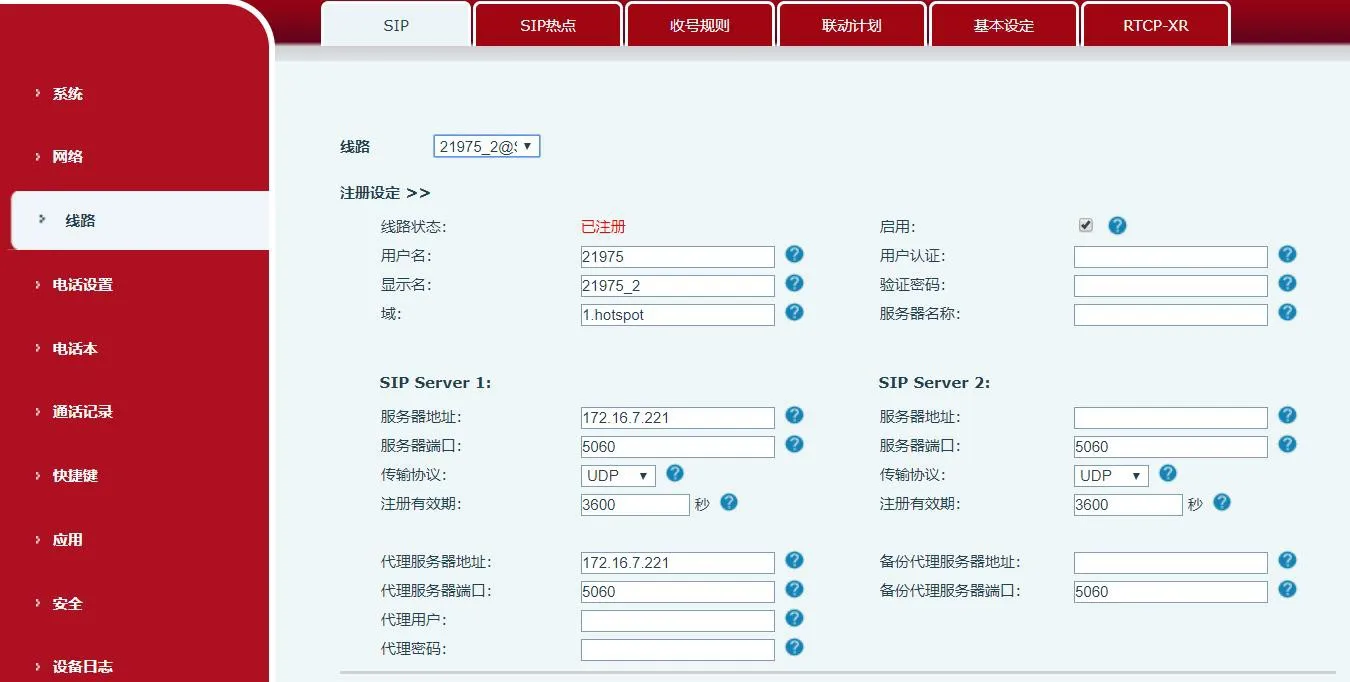
登録番号モード

ホットスポットサーバーがSIP登録に対応し、クライアントへ内線番号を配布します。
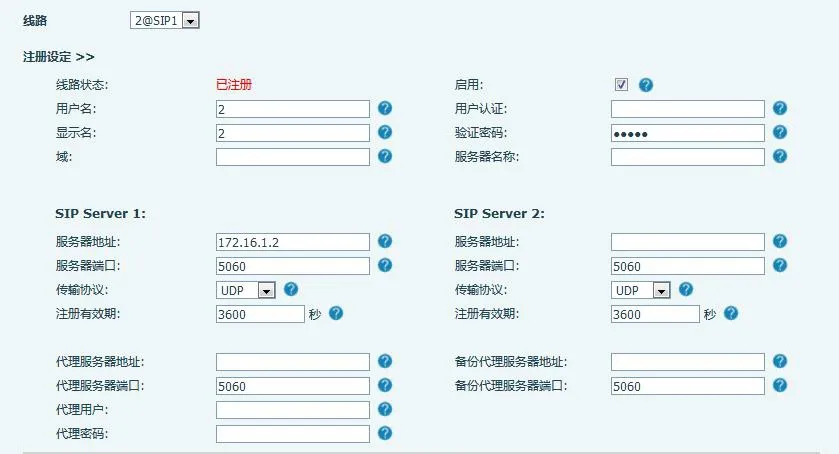
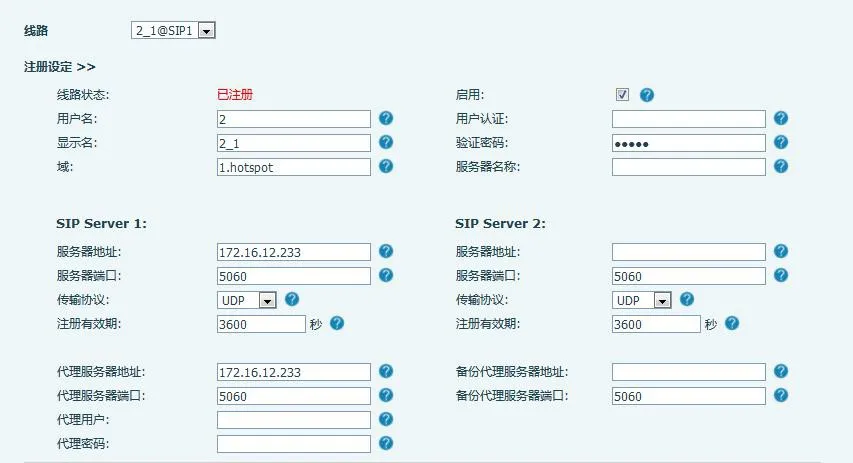
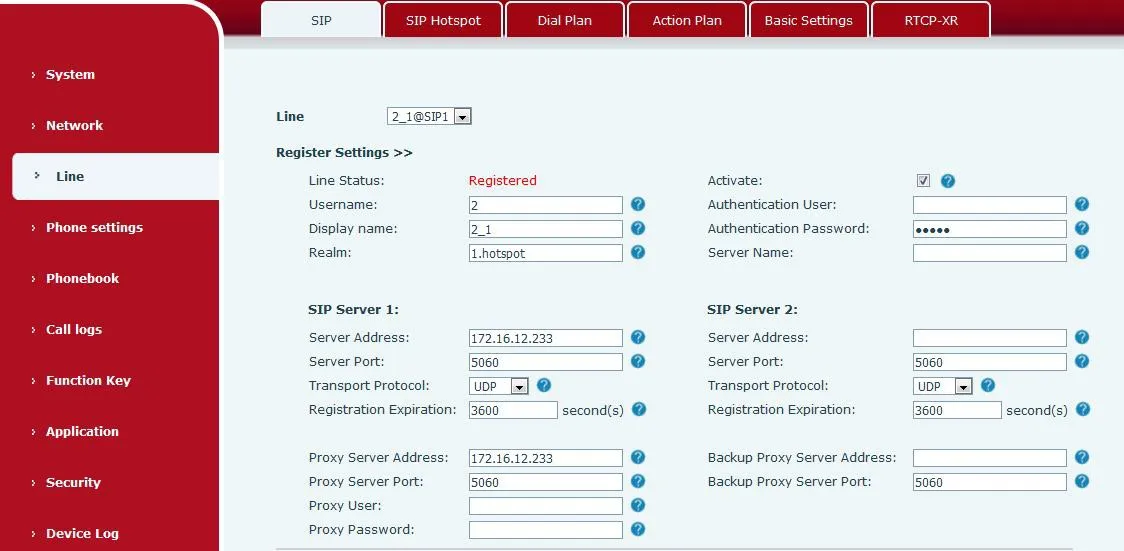
ホットスポットサーバー 登録番号画面

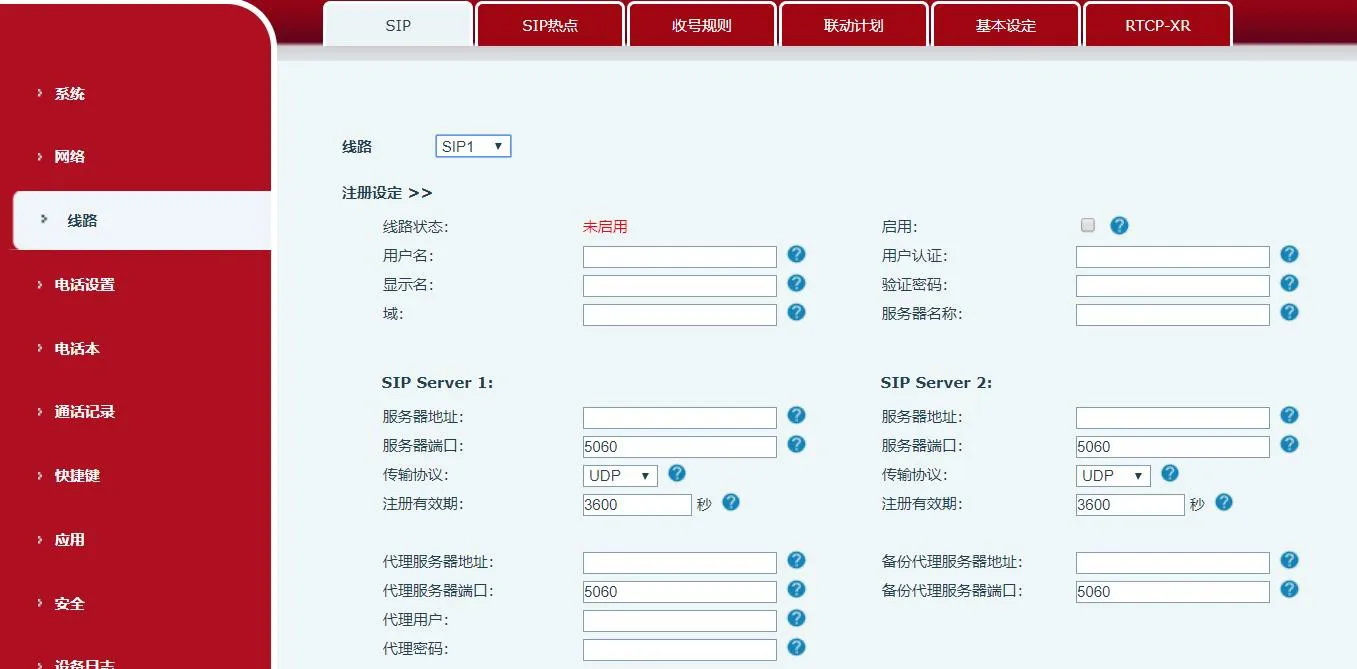
非登録番号モード(X56シリーズ限定)

ホットスポットサーバーはSIP登録なしで動作しつつ、内線番号を配布できます。本モードでは番号とサーバー項目の入力が必須となります。
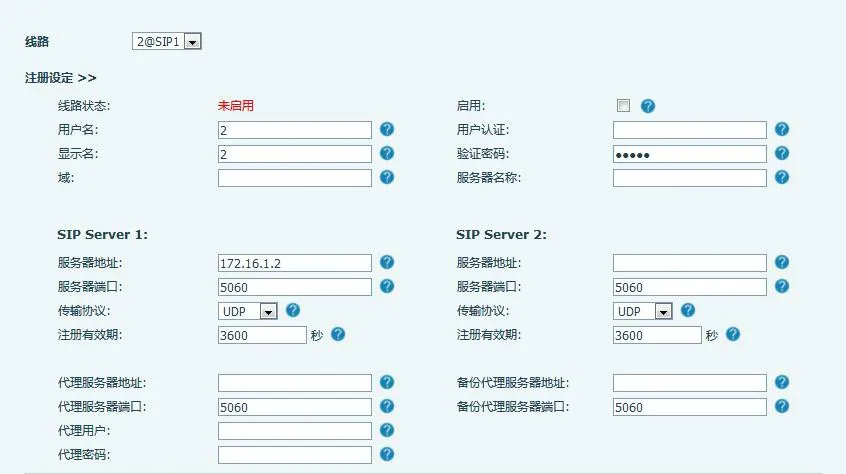
非登録モード ホットスポットサーバー

補足:「未登録時発信」を有効にすることで、サーバーから内線への発信が可能になります。

設定経路は下記の通りです。
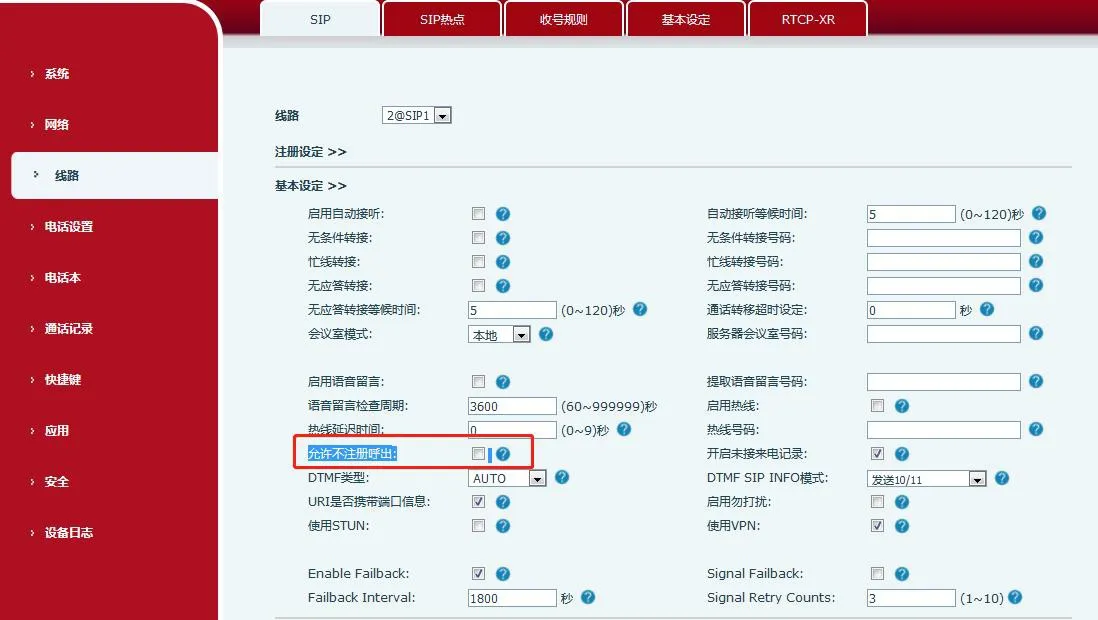
サーバー設定項目位置

SIPホットスポット設定手順(BX6例)

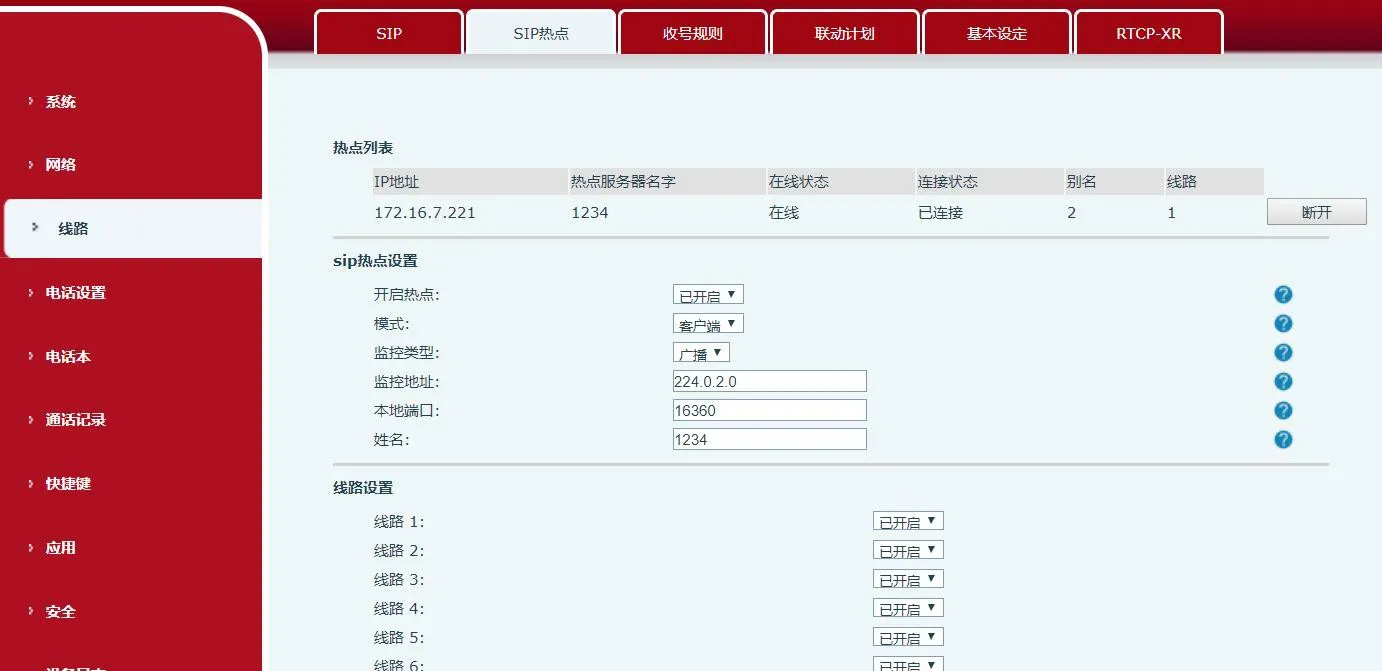
  1. ホットスポット有効化:「ホットスポットを有効にする」を有効に設定。

  2. モード:ホットスポットを選択(機器がSIPホットスポットサーバーとして動作)。

  3. 監視方式:ブロードキャストまたはマルチキャストを選択。ネットワークのブロードキャストパケットを削減するにはマルチキャストを使用してください。サーバーとクライアントは同一方式に統一する必要があります

  4. 監視アドレス:サーバー・クライアント間通信用マルチキャストIP(マルチキャスト時のみ必須。ブロードキャストは標準WAN IPを使用)。

  5. ローカルポート:任意の通信用ポート番号(サーバー・クライアントで統一)。

  6. 名称:SIPホットスポットの名称を設定。

  7. 外部着信鳴動モード:全て(親機+内線鳴動)、内線のみ、親機のみ。

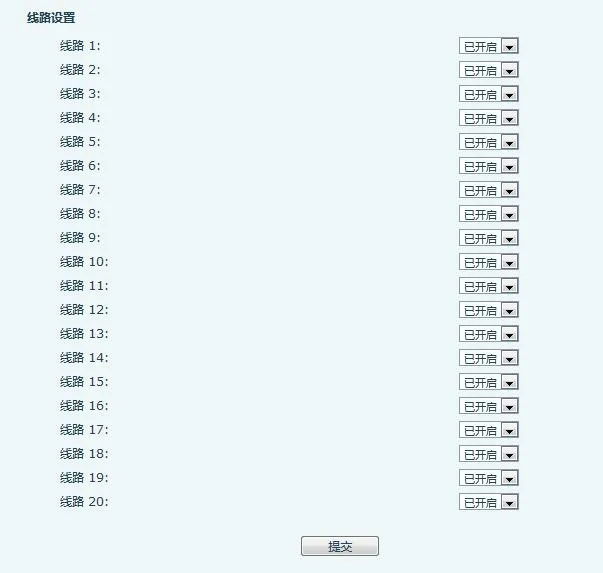
  8. 回線設定:指定したSIP回線でSIPホットスポットを有効化。

回線設定画面

  1. 接続機器:オンライン中のクライアントと内線番号(別名)を一覧表示。

接続済みSIPホットスポット機器一覧

補足:GP210iをホットスポットサーバーとして使用する場合は、2.2項を参照してください。

GP210i ホットスポットサーバー設定

サーバー設定

GP210iをホットスポットサーバーとして運用する場合、内線プレフィックスを設定できます。

  • SIP回線ごとにプレフィックスの有効/無効を切り替え

  • 最終内線番号 = プレフィックス + 割り当てられた内線番号

例:プレフィックス=8、内線番号=001 → 最終番号=8001
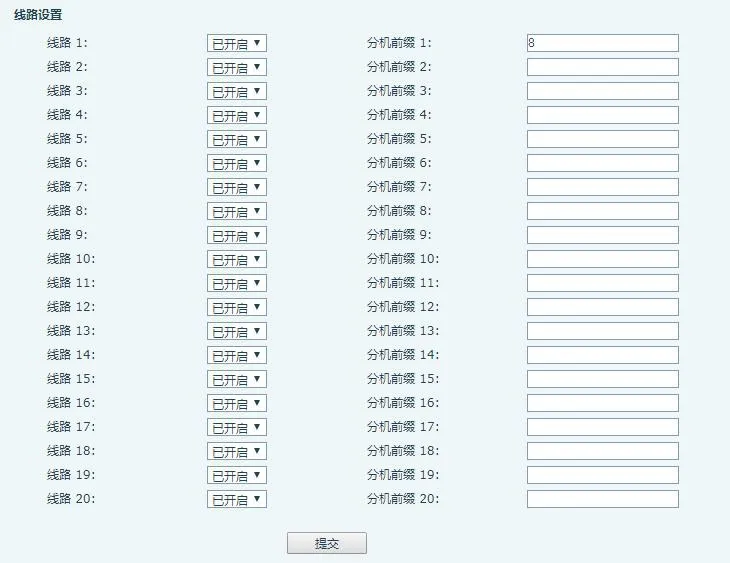
内線プレフィックス設定画面

ホットスポット内線管理

補足:GP210iをサーバーとする場合、手動で機器を「未管理内線」から「管理内線」へ移行してください。

管理対象内線は、遠隔再起動・ファームウェアアップグレード・グループ鳴動に対応します。管理モード:0=制限なし、1=許可機器のみ接続可能。

1. 未管理内線
サーバーがクライアントへ自動でアカウントを割り当て、ここに一覧表示されます。

未管理内線画面

  1. MAC:機器のMACアドレス

  2. 機種:端末モデル

  3. バージョン:ファームウェア版数

  4. IP:機器のIPアドレス

  5. 内線:割り当て済み内線番号

  6. ステータス:オンライン/オフライン

  7. 登録番号:親機SIPアカウント

  8. 削除:機器を削除

  9. 管理へ移行:管理権限を付与

2. 管理内線
再起動・アップグレード・編集・グループ分け・削除に対応します。

管理内線画面

  1. 内線名:機器の表示名

  2. MAC:MACアドレス

  3. 機種:端末モデル

  4. バージョン:ファームウェア版数

  5. IP:IPアドレス

  6. 内線:内線番号

  7. グループ:所属グループ

  8. ステータス:オンライン/オフライン

  9. 登録番号:親機SIPアカウント

  10. 編集:名前/MAC/内線/グループを変更

  11. 追加:手動で機器登録(MAC必須)

  12. 削除:機器を削除

  13. アップグレード:遠隔ファームウェア更新

  14. 再起動:遠隔再起動

  15. グループ追加:グループへ所属

  16. 非管理へ移行:管理権限を解除

3. ホットスポットグループ
グループ番号へダイヤルすると、グループ内全端末が一斉鳴動します。

  1. 名前:グループ名

  2. 番号:グループ着信番号

  3. 編集:グループ設定変更

  4. 追加:新規グループ作成

  5. 削除:グループ削除

内線アップグレード

管理対象機器を更新するには、アップグレードサーバーURLを入力し確定します。機器が自動でファームウェアをダウンロードし更新します。
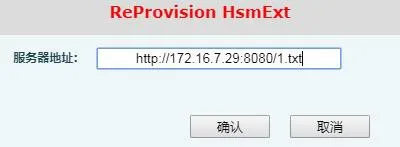
内線機器アップグレード画面

SIPホットスポット クライアント設定

BX6をクライアントとした例:手動でSIPアカウントを設定する必要はなく、クライアントがホットスポットから設定を自動取得します。

  1. モードをクライアントに設定

  2. 監視方式/ポート/アドレスをホットスポットサーバーと同一に設定

SIPホットスポット クライアントモード

サーバーIPと表示名は自動入力されます。

SIPホットスポット アドレス自動表示

ホットスポット一覧に接続中のサーバーが表示されます(例:IP:172.16.7.221、回線:0)。0をダイヤルするとホットスポット親機へ発信します。切断をクリックすると接続が解除されます。
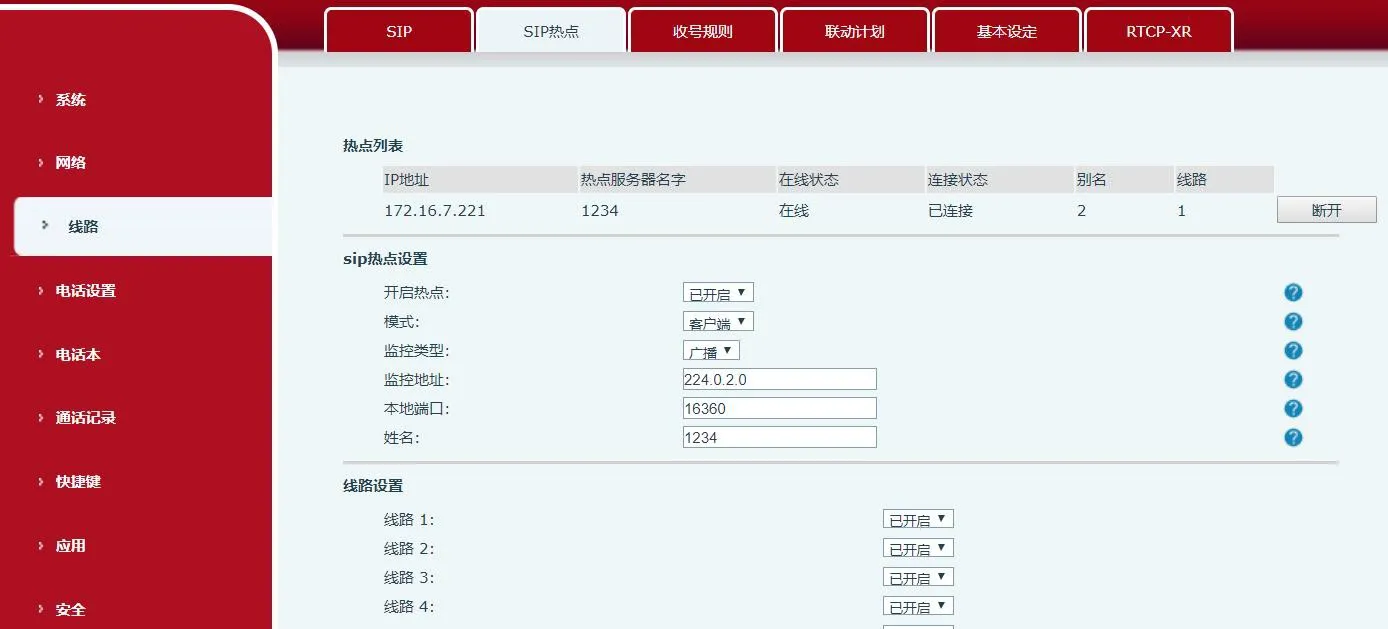
ホットスポット切断画面

SIPホットスポット無効時の動作:
・クライアント:登録情報を消去
・親機:登録情報を保持
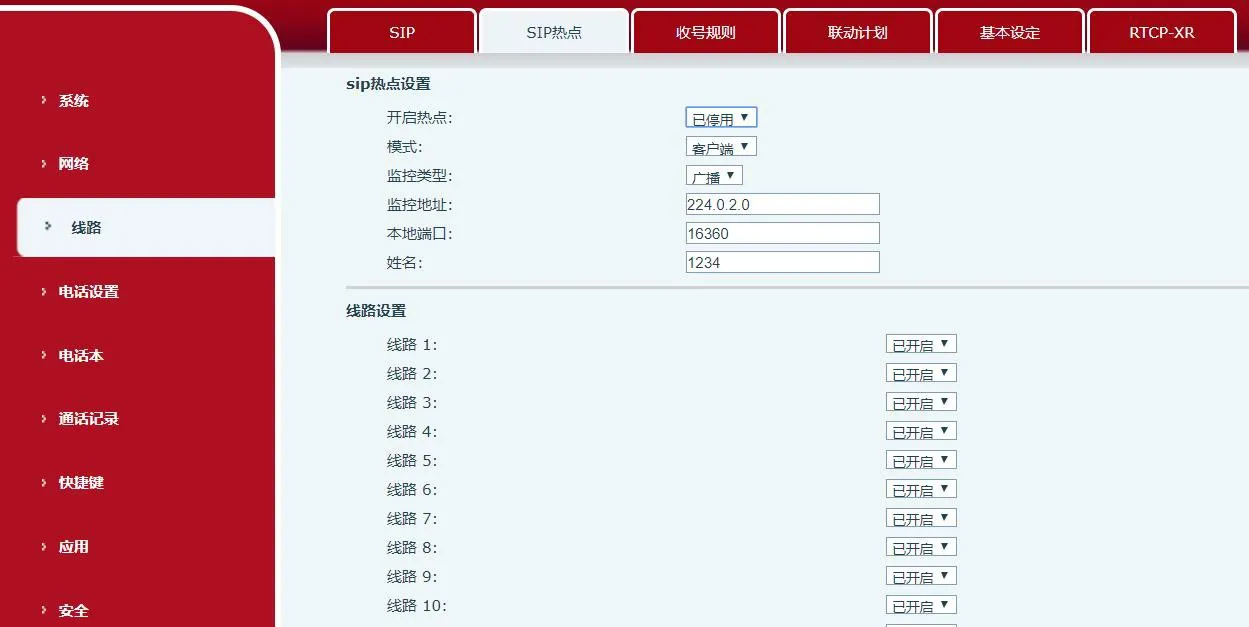
ホットスポット無効状態クライアント登録情報消去後

重要注意事項

  • 同一ネットワーク内に複数のホットスポットを運用する場合は、監視アドレスを個別に設定してください

  • ホットスポット・クライアント共に外部発信が可能です

  • ホットスポットは通話転送に対応、クライアントは基本通話機能のみ利用可能

  • X5S/X6:設定変更が即時反映、X3S/X4/BH:再起動が必要

通話操作

1. 内線同士の通話

  • 内線プレフィックス有り

    • 親機 → 内線:8000 → 8001

    • 内線 → 親機:8001 → 8000

    • 内線 → 内線:8001 → 8002

  • プレフィックス無し

    • 親機 → 内線:0 → 1

    • 内線 → 親機:1 → 0

2. 外部から親機・内線への着信

親機の外部番号へダイヤルすると、全機器(親機+内線)が同時に鳴動し、最初に応答した端末で通話が開始されます。

3. 親機・内線からの外部発信

親機または任意のクライアントから、直接外部番号へダイヤルして発信できます。

カタログ
顧客サービス 電話
We use cookie to improve your online experience. By continuing to browse this website, you agree to our use of cookie.

Cookies

This Cookie Policy explains how we use cookies and similar technologies when you access or use our website and related services. Please read this Policy together with our Terms and Conditions and Privacy Policy so that you understand how we collect, use, and protect information.

By continuing to access or use our Services, you acknowledge that cookies and similar technologies may be used as described in this Policy, subject to applicable law and your available choices.

Updates to This Cookie Policy

We may revise this Cookie Policy from time to time to reflect changes in legal requirements, technology, or our business practices. When we make updates, the revised version will be posted on this page and will become effective from the date of publication unless otherwise required by law.

Where required, we will provide additional notice or request your consent before applying material changes that affect your rights or choices.

What Are Cookies?

Cookies are small text files placed on your device when you visit a website or interact with certain online content. They help websites recognize your browser or device, remember your preferences, support essential functionality, and improve the overall user experience.

In this Cookie Policy, the term “cookies” also includes similar technologies such as pixels, tags, web beacons, and other tracking tools that perform comparable functions.

Why We Use Cookies

We use cookies to help our website function properly, remember user preferences, enhance website performance, understand how visitors interact with our pages, and support security, analytics, and marketing activities where permitted by law.

We use cookies to keep our website functional, secure, efficient, and more relevant to your browsing experience.

Categories of Cookies We Use

Strictly Necessary Cookies

These cookies are essential for the operation of the website and cannot be disabled in our systems where they are required to provide the service you request. They are typically set in response to actions such as setting privacy preferences, signing in, or submitting forms.

Without these cookies, certain parts of the website may not function correctly.

Functional Cookies

Functional cookies enable enhanced features and personalization, such as remembering your preferences, language settings, or previously selected options. These cookies may be set by us or by third-party providers whose services are integrated into our website.

If you disable these cookies, some services or features may not work as intended.

Performance and Analytics Cookies

These cookies help us understand how visitors use our website by collecting information such as traffic sources, page visits, navigation behavior, and general interaction patterns. In many cases, this information is aggregated and does not directly identify individual users.

We use this information to improve website performance, usability, and content relevance.

Targeting and Advertising Cookies

These cookies may be placed by our advertising or marketing partners to help deliver more relevant ads and measure the effectiveness of campaigns. They may use information about your browsing activity across different websites and services to build a profile of your interests.

These cookies generally do not store directly identifying personal information, but they may identify your browser or device.

First-Party and Third-Party Cookies

Some cookies are set directly by our website and are referred to as first-party cookies. Other cookies are set by third-party services, such as analytics providers, embedded content providers, or advertising partners, and are referred to as third-party cookies.

Third-party providers may use their own cookies in accordance with their own privacy and cookie policies.

Information Collected Through Cookies

Depending on the type of cookie used, the information collected may include browser type, device type, IP address, referring website, pages viewed, time spent on pages, clickstream behavior, and general usage patterns.

This information helps us maintain the website, improve performance, enhance security, and provide a better user experience.

Your Cookie Choices

You can control or disable cookies through your browser settings and, where available, through our cookie consent or preference management tools. Depending on your location, you may also have the right to accept or reject certain categories of cookies, especially those used for analytics, personalization, or advertising purposes.

Please note that blocking or deleting certain cookies may affect the availability, functionality, or performance of some parts of the website.

Restricting cookies may limit certain features and reduce the quality of your experience on the website.

Cookies in Mobile Applications

Where our mobile applications use cookie-like technologies, they are generally limited to those required for core functionality, security, and service delivery. Disabling these essential technologies may affect the normal operation of the application.

We do not use essential mobile application cookies to store unnecessary personal information.

How to Manage Cookies

Most web browsers allow you to manage cookies through browser settings. You can usually choose to block, delete, or receive alerts before cookies are stored. Because browser controls vary, please refer to your browser provider’s support documentation for details on how to manage cookie settings.

Contact Us

If you have any questions about this Cookie Policy or our use of cookies and similar technologies, please contact us at support@becke.cc .